Catch spend earlier
Check today and recent estimated spend while you work.
Tokenwise
Developer Tools · macOS 13 or later
Tokenwise sits in your Mac menu bar and turns Claude Code plus OpenAI Codex logs into clear daily, 7-day, and 30-day cost views. Local logs only. No account, no tracking.
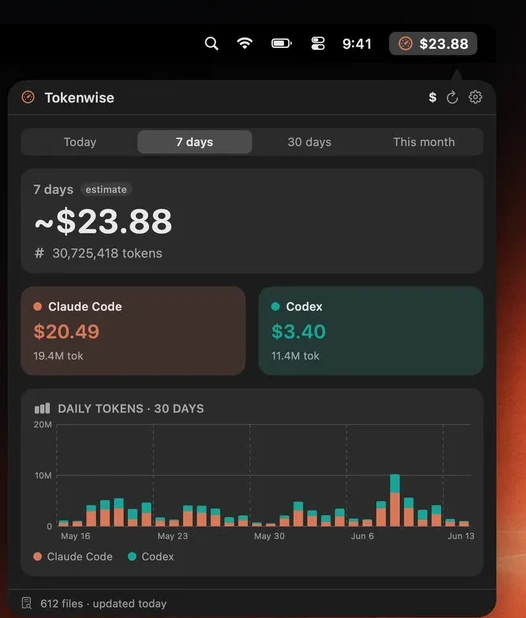
When Claude Code and Codex are both in your workflow, tokens, models, projects, and limits are scattered. Tokenwise turns that scattered usage into one menu-bar dashboard.
Check today and recent estimated spend while you work.
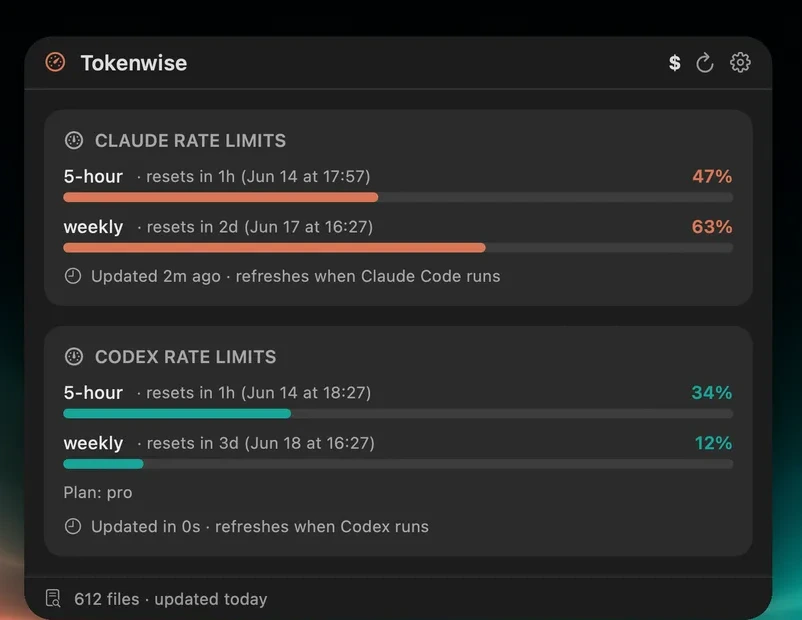
See Claude and Codex remaining limits with reset timing.
Break down where cost concentrates by model and project.
The screenshots below use the actual product UI, cropped out of App Store artwork so the page explains the real screens.
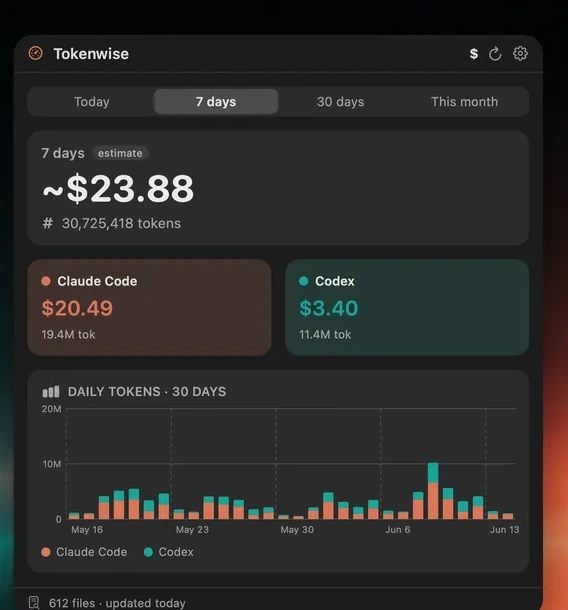
Open Tokenwise and see estimated spend plus token volume by period. Claude Code and Codex stay separated enough to understand what is driving the total.
See 5-hour and weekly usage windows with reset timing, so you can decide whether to keep going or save a heavier task for later.
Breakdowns by model and project show where spend concentrates, giving you the evidence to adjust your own workflow or discuss usage with a team.
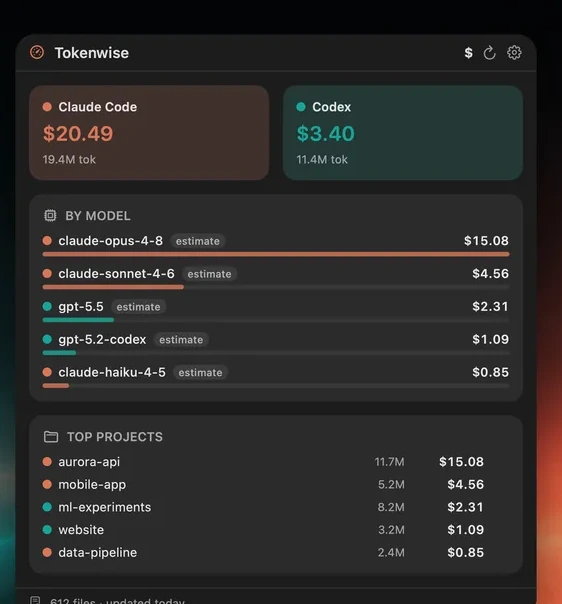
Project handoff, multi-Mac totals, and the first-run privacy explanation are all shown with real product screens.
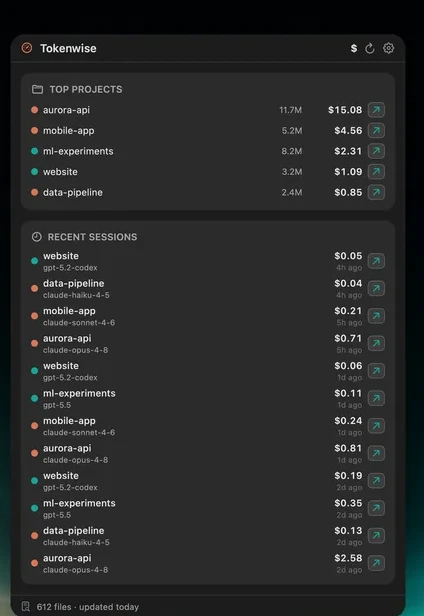
Jump from project and recent-session rows back to the folders behind the usage. The number becomes a next action, not just a report.
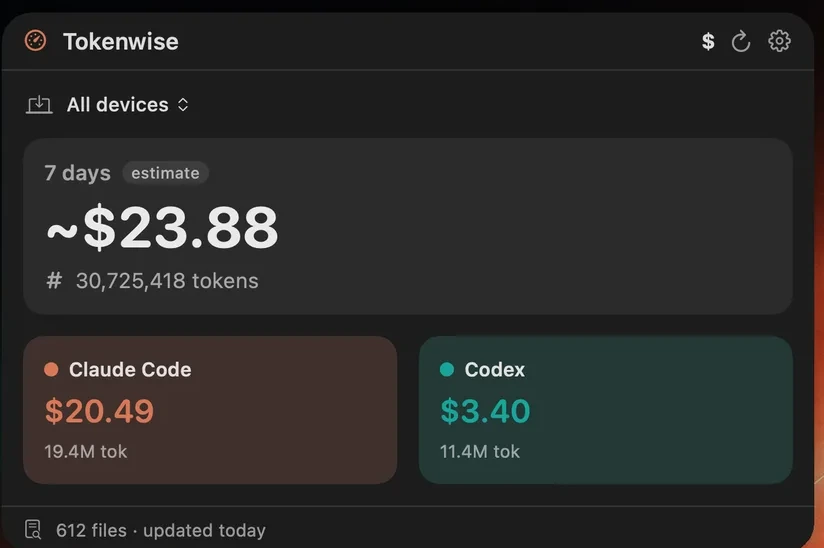
Optional iCloud sync can combine daily totals across Macs. It is off by default, so single-Mac local use stays simple.
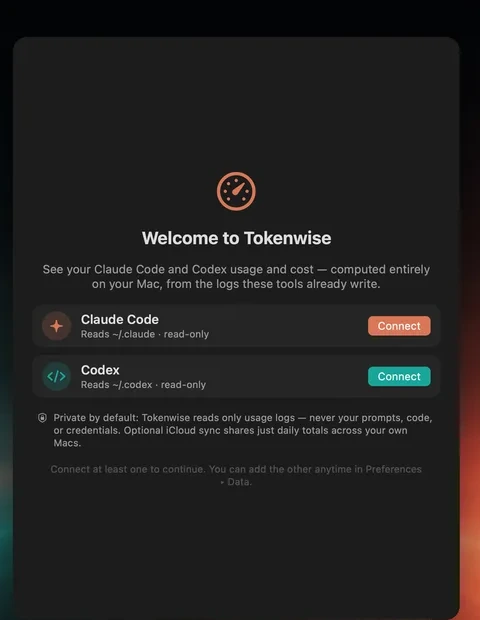
Tokenwise does not read prompts, code, or credentials. It reads selected log folders read-only and computes usage on device.
Tokenwise is a small menu-bar app for developers who use AI coding tools every day. Available now on the App Store. One purchase. No subscription.